Intuitive notepad and diary
If you ever wanted to be like Sarah Jessica Parker in Sex and the City, writing columns and blog posts (well, she was writing just newspaper columns, but you never know) in a cosy cafe, without caring about anybody and anything apart from your own written world, this might just be the program you’re looking for.
Top Recommended Alternative

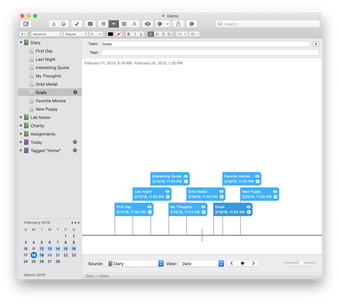
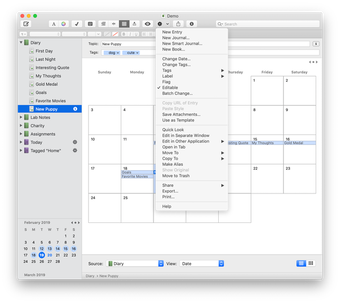
Although MacJournal is a very simple program and it’s basically a text editor, it has a couple of features that makes it interesting. The first one is a calendar.You can browse this calendar and write posts which will be saved at the specific date you write them. It's particularly useful for writers I think, as you might want to prepare a piece for a specific day and after you have written it you can actually concentrate on something else without worrying about remembering when you have to publish an article.
The second exciting tool is a full screen mode which will turn your screen completely black with just your text showing on it. Writing in this mode means that you’re free from all of the distractions your Mac can usually throw at you, helping you maximize your concentration and productivity.It makes you feel good and even important, I am not sure why but this is true. I guess it's because you can feel you have the space and the power to write all you want without having any interference, not even design foibles, with your writing.Then when you go back to the normal mode, it will be easy to format your text, add pictures if you need to, or double-check possible mistakes underlined of course with those unforgiving red lines.When you have finished you can lock your journal as if it were your secret diary. If you are one of those writers who feels that even the interface of your editor is an element of disturbance with your artistic vein, try this effective editor which will leave you with nothing but your words.
Changes
This update has the typical number of bug and crash fixes. It also adopts new ways of communicating with Blogger, Tumblr, and Dropbox to conform to what they want out of applications these days. Because of that, you'll have to log in to those services again.
.webp)




















.webp)